
Find the bugs between the components.
A coding agent should not be the only judge of its own change. AppMap records behavior from the running application, outside the agent's reasoning. The agent can query it, the reviewer can inspect it, and the organization can keep the evidence in its own environment. The agent explains the evidence. It does not create it.
AppMap reports every behavior defect, whether it has a name or not. We have named 496 of them so far. Read the list →
Agents outrun every check
Agents now produce more changes than any stage of the pipeline can absorb. Reviewers skim, test suites check only what was asserted, scanners match a catalog, and production finds the rest. The agent that wrote the change is the one that has to fix it, and it is working in development. AppMap compares runtime behavior there, and again in CI, before merge.
| Approach | When it runs | Why it fails |
|---|---|---|
| Senior engineers reading diffs | Develop Push PR CI Deploy Prod | Too many diffs to read. Approval becomes a formality. |
| AI code reviewers | Develop Push PR CI Deploy Prod | Faster approval of the same guess about what the code does. |
| Test suites in CI | Develop Push PR CI Deploy Prod | Green on every assertion. Silent on everything nobody asserted. |
| Linters, SAST, scanners | Develop Push PR CI Deploy Prod | Clean against the list. The bug is not on the list. |
| Change boards, checklists | Develop Push PR CI Deploy Prod | Everyone signed. No one saw it run. |
| Canaries, APM, incident review | Develop Push PR CI Deploy Prod | Every fix is code and token churn. Or the customer finds it first. |
| AppMap behavioral comparison | Develop Push PR CI Deploy Prod | Compares what the change did when it ran against the baseline, in development and again in CI. |
Answers to the questions you are already asking
Every review below asks what changed and what was tested. AppMap answers with a record of how the application behaved.
| Standard | What it asks | Captured in dev and CI by AppMap |
|---|---|---|
| Resilience, reliability, stability | ||
| ISO/IEC 25010:2023 | Faultlessness, availability, fault tolerance, recoverability, time behaviour. | 26 of 40 sub-characteristics |
| AWS Well-Architected, Reliability | Timeouts, retries, idempotency, changes tested before deploy. | 7 of 13 questions |
| DORA metrics / SRE readiness | Change failure rate, rework rate, dependencies, performance. | 3 of 5 metrics · 4 of 6 areas |
| Operational resilience (US Sound Practices, UK PRA SS1/21) | Resilient system management, dependency mapping, scenario testing. | 2 of 7 · 2 of 5 |
| Change control and audit | ||
| EU DORA (2022/2554) | Every change tested, assessed, and verified. Dynamic testing in code review. | 10 of 18 provisions |
| SOC 2 CC8 / SOX ITGC | Changes tested, documented, tracked, compared to a baseline. | 9 of 17 points of focus |
| FFIEC (Development and Maintenance, 2024) | Test results kept. Unanticipated effects of a change found. | 3 of 6 objectives |
| Security and secure development | ||
| OWASP Top 10 (2025) / ASVS 5.0 | Access control, injection, authentication, logging, error handling. | 6 of 10 · 242 of 345 requirements |
| CWE Top 25 (2025) | Race conditions, missing authorization, unbounded resource use. | 19 of 25 |
| NIST SSDF (SP 800-218) | Test executable code before release. Root-cause vulnerabilities. | 8 of 19 practices |
| PCI DSS v4.0.1, Req 6 | Code reviewed before release. Security impact of every change. | 8 of 19 requirements |
Illustrative mapping, not a compliance certification. Counts are our reading of each standard's public text.
These are the questions reviewers already ask. The recording also answers the ones no standard has written down yet.
Runtime context that stays in your environment.
Airgapped and on-prem by design.
Bring your model. Keep your evidence.
Architecture and trust
AppMap runs inside your environment with no outbound dependency on AppMap services. Offline activation and internal distribution are supported. There is no AppMap cloud for traces.
Trust, but verify: open-source clients and a published data spec. Developers and security reviewers can audit what AppMap records and what it sends to the agent.
AppMap Enterprise adds organization configuration pushed from one endpoint, organization-registered installs with no license keys on developer machines, and usage telemetry routed to your own systems.
Adoption at scale: from one workstation to CI
- Step 1
Start on the workstation
Teams do not need to instrument CI to begin. AppMap records from a running process, so teams start in the editor or in environments that already run: a local run, a focused test, a smoke script, an API call, or a QA environment. No full enterprise-stack build required to record the first traces.
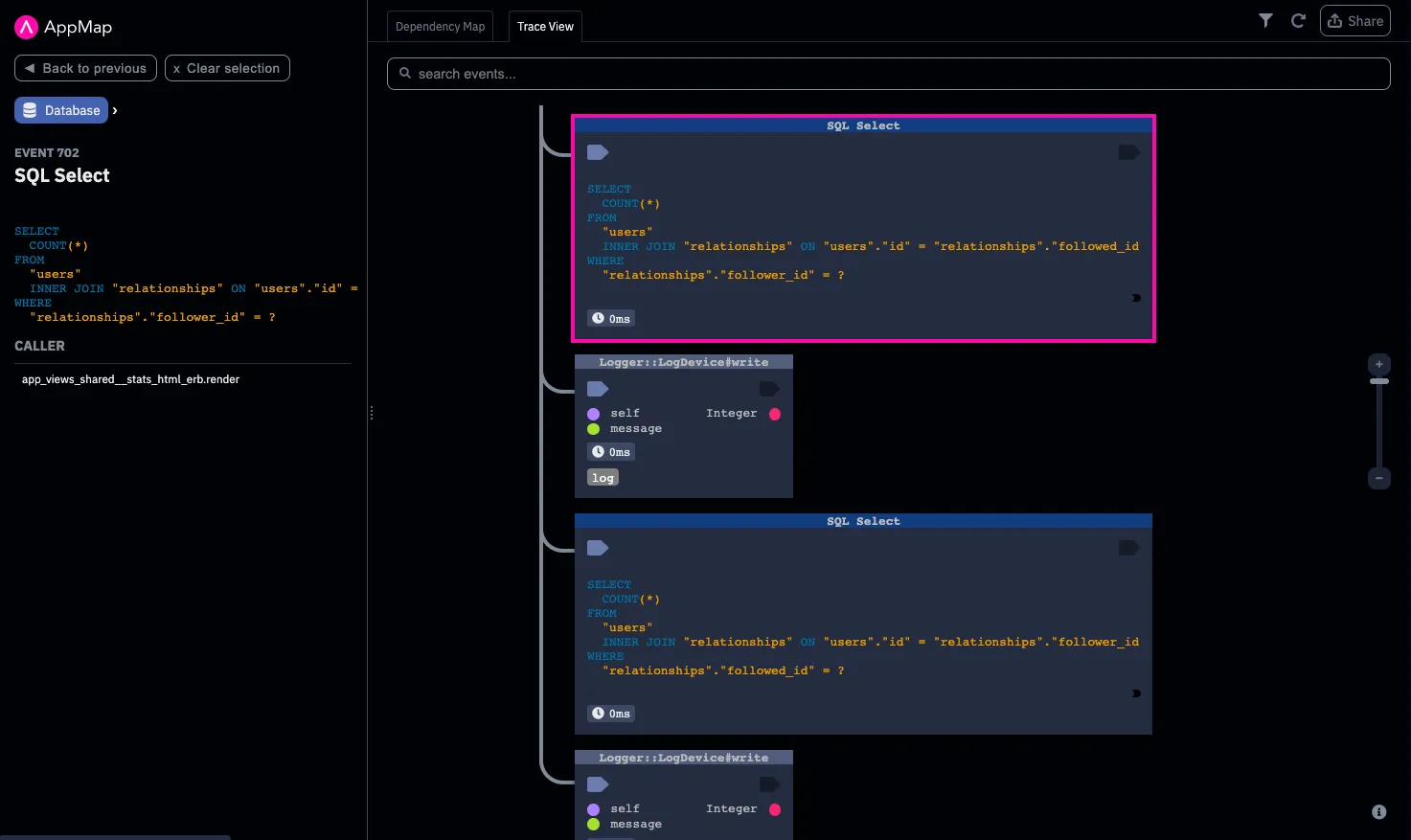
Recorded in the editor: the call tree the agent queried - Step 2
Centralized ground truth of application behavior, in git
The AppMap Gold Traces skill identifies important application paths and uses existing tests to build the set. When coverage is missing, AppMap suggests a new test case. The organization can run the same review in CI when ready. The set lives in the team's repository, where changes follow the same pull-request workflow as the code. Teams begin lightweight in the editor and graduate the flows that matter into the pipeline.
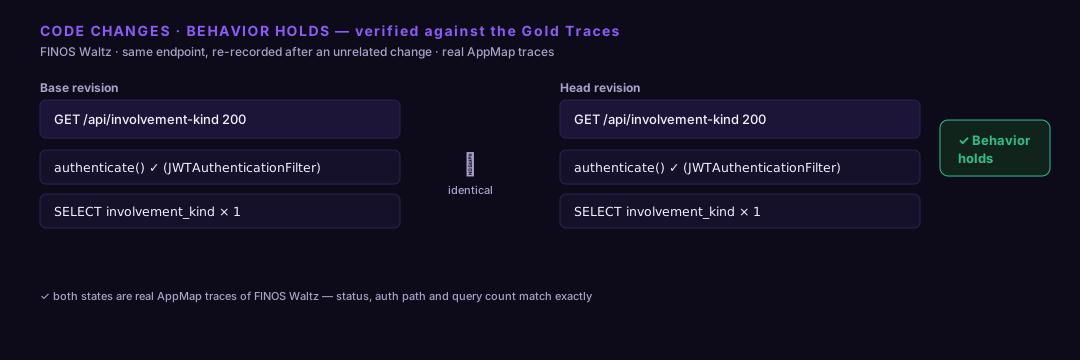
Public open-source demo: FINOS Waltz